Internships
Covestro
Internship · Internal tools
WORK & CONTRIBUTIONS
Material selection and inventory lookup require finding model codes across many records and identifying stock candidates for further review. I independently developed a Python internal tool that connects model parsing, candidate filtering, and result collection to support work that otherwise involves repeated spreadsheet searches.
01 / MODEL PARSING & CONFIGURATION
Turn model strings into searchable fields.
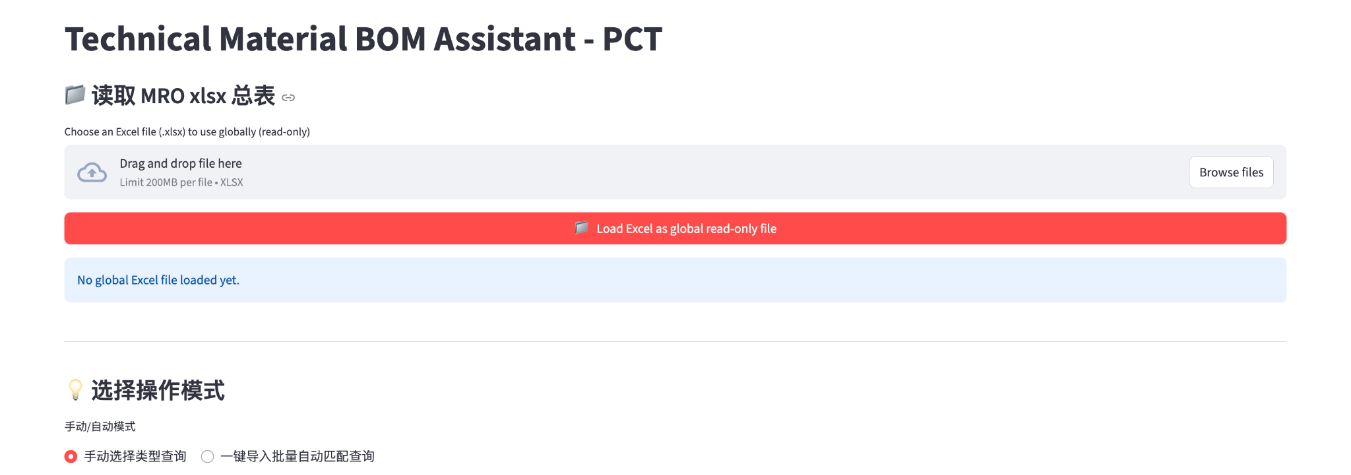
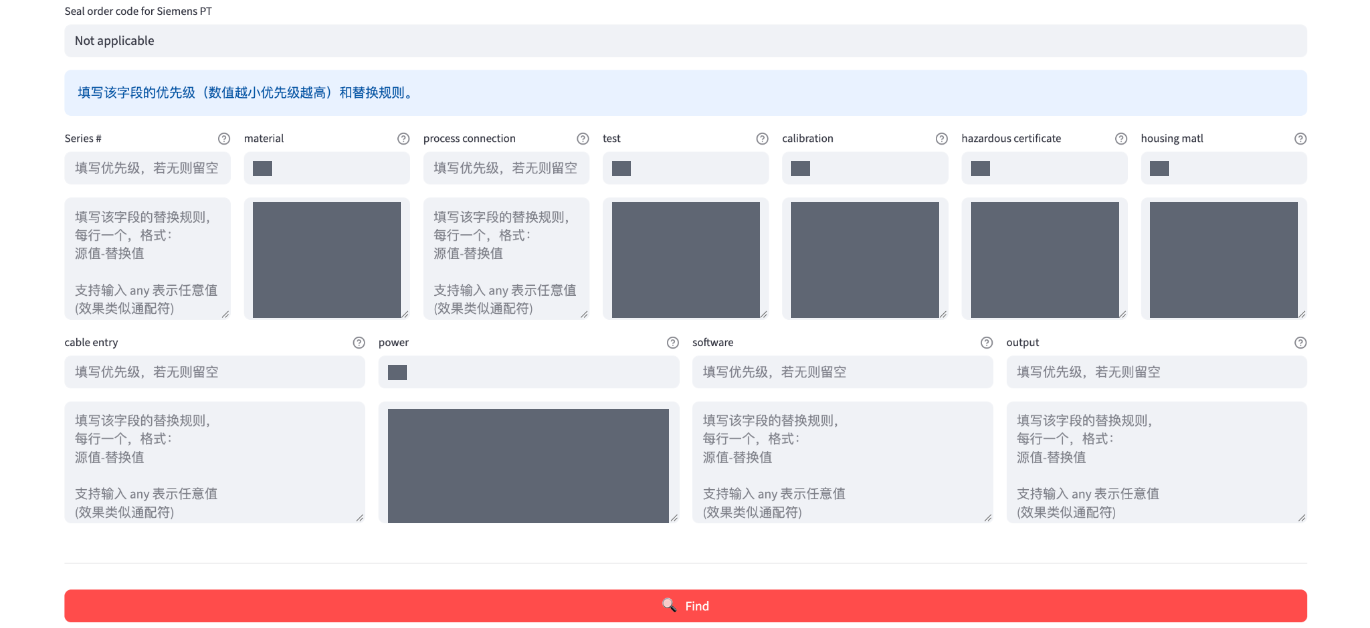
I built the data-processing logic and interactive interface with Python, Pandas, and Streamlit, supporting processing and queries across more than 80,000 material records. After loading an Excel material table, the tool extracts model codes from descriptions, normalizes their format, and splits them into fields by instrument type before filtering stock candidates with configurable matching rules.
I organized field definitions, parsing patterns, and default rules as type-specific configuration shared by the query interface and batch workflow. Additional types can be introduced through their configuration without rewriting the interface flow.
02 / QUERIES & RESULT COLLECTION
Connect individual lookups with batch processing.
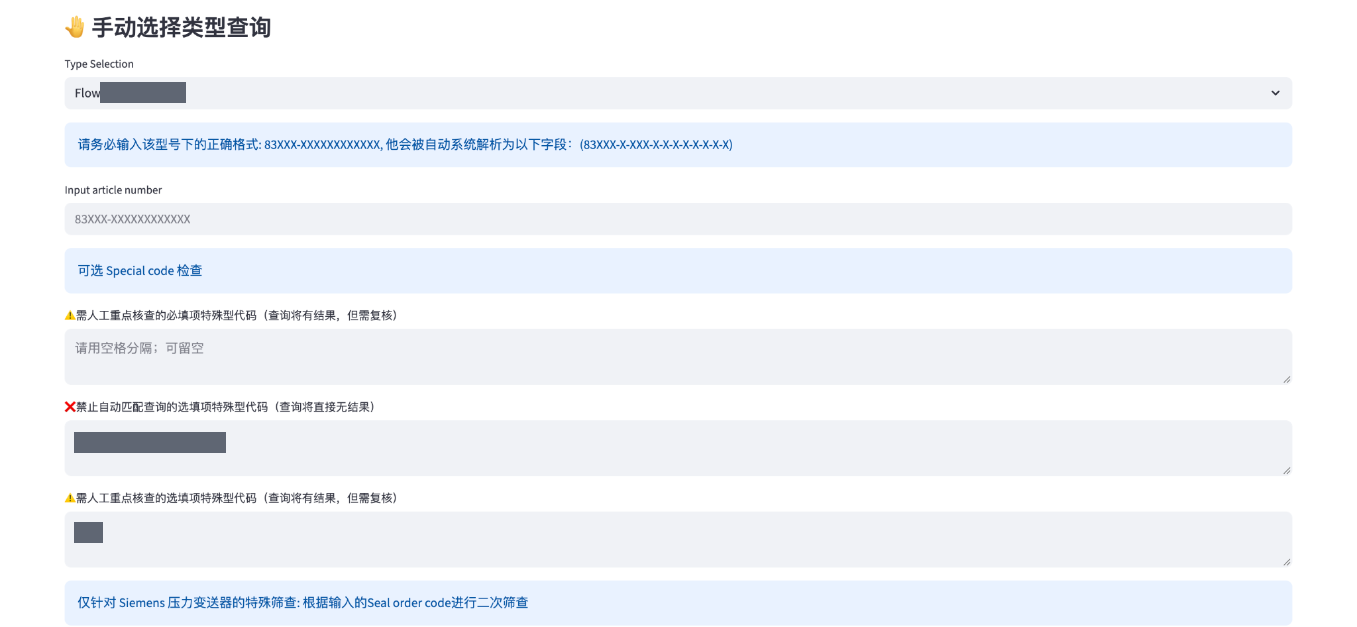
I implemented both manual lookup and Excel batch matching. Manual lookup lets users adjust matching rules, select candidates, and retain results across successive queries. The batch workflow identifies each input model’s type, applies its default rules, and produces a result table. Both workflows support export for further review and organization.
03 / HUMAN REVIEW
Make the limits of automatic matching visible.
I implemented review notices for inputs requiring special attention. Cases unsuitable for automatic matching are explicitly marked for manual checking rather than presented as valid substitutions. The tool supports candidate screening; staff still need to confirm final suitability.
04 / TOOL INTERFACE
Tool interface
These views follow the workflow: import the master table, run a manual query, then configure matching rules. Screenshots are cropped or redacted to remove specific device models and internal rule values while retaining controls and field headings.